Starting a career in information technology can feel overwhelming because the field contains a large number of terms, devices, operating systems, networking concepts, software tools, security practices, and technical processes. For someone new to IT, one of the first challenges is not necessarily learning advanced technology. It is developing a reliable understanding of the basic concepts that everything else depends on.
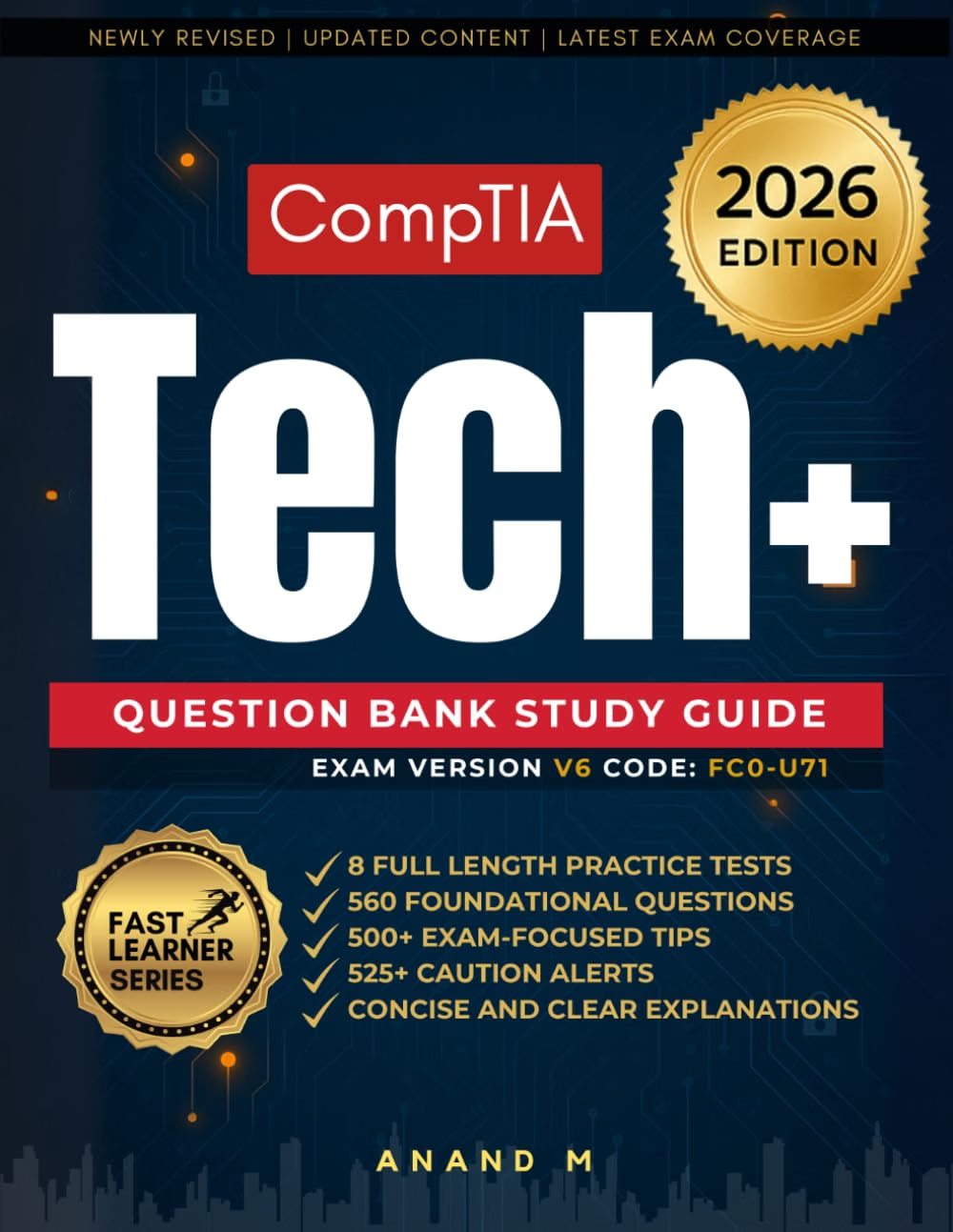
The CompTIA Tech+ Question Bank Study Guide Latest Edition is positioned as a study resource for learners preparing for the CompTIA Tech+ certification. A question-bank format can be useful because it encourages active recall rather than relying entirely on passive reading. Instead of simply reading definitions, learners have to recognize concepts, distinguish between similar technologies, and think through possible answers.
CompTIA Tech+ is designed around foundational technology knowledge. The current FC0-U71 examination covers six major domains: IT Concepts and Terminology, Infrastructure, Applications and Software, Software Development Concepts, Data and Database Fundamentals, and Security. The official objectives specify a maximum of 70 multiple-choice questions in a 60-minute examination, with a passing score of 650.
This makes structured practice particularly relevant. A learner does not need to become an advanced programmer, network engineer, or cybersecurity specialist before approaching the certification. Instead, the goal is to develop a broad technological foundation and understand how common IT concepts fit together.
This article explains how a CompTIA Tech+ question-bank study resource can be used effectively, what areas learners should understand, how to organize practice sessions, and what to consider when preparing for the current FC0-U71 exam.
Understanding the CompTIA Tech+ Certification
CompTIA Tech+ is an entry-level technology certification intended to introduce learners to fundamental IT concepts.
The current FC0-U71 exam is structured around six domains. According to the published exam objectives, Infrastructure represents 24% of the examination, Applications and Software 18%, Security 19%, and IT Concepts and Terminology, Software Development Concepts, and Data and Database Fundamentals each represent 13%.
The distribution is useful when creating a study plan because it shows that Tech+ is broader than basic computer hardware.
A learner needs to understand technology from several perspectives:
- How computers process information
- How devices connect to networks
- How operating systems and applications work
- How software is developed at a foundational level
- How data and databases are organized
- How users and systems can be protected
The certification therefore provides a broad introduction rather than focusing on one narrow technical specialization.
Why a Question Bank Can Be Useful
Reading a study guide and answering questions are two different learning activities.
When reading, it is easy to recognize a definition without being able to recall it independently. A question forces the learner to retrieve information from memory.
For example, someone might read about routers, switches, and access points and feel that the concepts are familiar. A practice question asking which device performs a particular function requires the learner to distinguish among them.
That difference matters.
A question bank can be used to identify gaps in understanding, reinforce terminology, and practice applying concepts in situations that resemble the structure of certification questions.
The most useful approach is not simply to count how many questions were answered correctly. Learners should also examine why an answer is correct and why the alternatives are not.
Key Areas Covered by CompTIA Tech+
1. IT Concepts and Terminology
The first domain establishes the vocabulary needed for the rest of the examination.
Computing begins with basic concepts such as input, processing, output, and storage. Learners also encounter different numerical systems and units of measurement.
Binary, decimal, hexadecimal, bits, bytes, storage capacity, data-transfer rates, and related terminology can initially seem abstract. With practice, however, these concepts become easier to recognize.
This domain also introduces troubleshooting methodology.
Troubleshooting is not simply guessing what is wrong and changing random settings. A structured approach involves identifying the problem, developing a theory, testing the theory, implementing an appropriate solution, verifying the result, and documenting the outcome.
That way of thinking is useful far beyond the Tech+ examination.
2. Infrastructure
Infrastructure is the largest current Tech+ domain at 24% of the examination.
It covers the physical and network technologies that allow computing environments to operate.
Learners may encounter topics such as:
- Desktop computers
- Laptops
- Mobile devices
- Servers
- Peripheral devices
- Internal components
- Storage technologies
- Displays
- Ports
- Connectors
- Wired networking
- Wireless networking
- Networking devices
- Cloud and virtualization concepts
Understanding the purpose of hardware components is more important than memorizing isolated specifications.
For example, a learner should understand the general difference between RAM and storage.
RAM provides temporary working memory for active processes, while storage retains data for longer-term use.
Similarly, knowing the difference between a router and a switch provides a foundation for understanding basic networks.
3. Applications and Software
The Applications and Software domain represents 18% of the current examination.
This area introduces operating systems, applications, files, settings, and common software concepts.
Learners should become comfortable with the general roles of operating systems such as Windows, macOS, Linux, and mobile operating systems.
File management is also an important practical skill.
Understanding folders, file extensions, paths, storage locations, application installation, updates, and permissions can make everyday technology easier to manage.
A question-bank resource can help reinforce distinctions that are easy to confuse.
For instance, an operating system is not the same thing as a productivity application. The operating system manages the underlying computing environment, while applications perform specific tasks for users.
4. Software Development Concepts
Software development may sound advanced to someone completely new to technology, but Tech+ approaches the subject at a foundational level.
The objective is not necessarily to become a professional programmer.
Instead, learners should understand concepts that explain how software is created and structured.
Topics can include:
- Programming concepts
- Algorithms
- Variables
- Input and output
- Logic
- Scripts
- Programming languages
- Version control
- Testing
- Development concepts
Understanding these ideas can make later programming education easier.
For example, an algorithm can be thought of as a defined sequence of steps used to accomplish a task. A program then implements instructions that a computer can execute.
The important point is conceptual understanding rather than memorizing large amounts of source code.
5. Data and Database Fundamentals
Data is central to modern computing.
Applications collect, store, process, retrieve, and analyze information. The Tech+ curriculum therefore includes foundational data and database concepts.
Learners may encounter ideas such as:
- Data versus information
- Data types
- Tables
- Records
- Fields
- Databases
- Primary keys
- Queries
- Data analytics
- Data-driven decisions
- Data formats
A simple database example can make these concepts easier to understand.
Imagine a customer database containing a table with columns for customer ID, name, email address, and phone number.
Each row represents a record.
Each column represents a field.
A primary key can provide a unique identifier for each record.
Understanding this structure provides a foundation for more advanced database concepts later.
6. Security
Security represents 19% of the current Tech+ examination.
Security knowledge is increasingly important even for people who do not work directly in cybersecurity.
Everyday technology users encounter passwords, authentication, phishing, malware, software updates, privacy settings, backups, encryption, and network security.
A beginner should understand why these controls exist.
For example, authentication is concerned with verifying identity, while authorization determines what an authenticated user is allowed to access.
Similarly, a strong password protects an account, but multi-factor authentication can add another layer of protection.
Security questions often become easier when learners understand the purpose behind a control rather than memorizing terminology without context.
How to Use a CompTIA Tech+ Question Bank Effectively
A question bank becomes more useful when it is integrated into a broader learning process.
Simply answering hundreds of questions repeatedly may create familiarity with the questions without producing deep understanding.
A more structured process can involve four stages.
Stage One: Learn the Concept
Before beginning intensive practice, review the underlying topic.
If the subject is networking, understand basic concepts such as IP addresses, routers, switches, wireless networking, and Ethernet.
If the subject is security, understand authentication, authorization, malware, phishing, encryption, and safe computing practices.
Stage Two: Answer Questions
Once the concept has been introduced, answer practice questions without immediately checking the explanation.
This tests actual recall.
Stage Three: Analyze Mistakes
When an answer is incorrect, determine why.
Was the terminology unfamiliar?
Did two similar concepts become confused?
Was the question misunderstood?
Was an important detail overlooked?
This analysis is often more valuable than simply recording the incorrect answer.
Stage Four: Revisit Weak Areas
After several practice sessions, patterns usually begin to appear.
Perhaps networking questions are consistently difficult while software questions are relatively comfortable.
That information can be used to adjust the study plan.
Creating a Personal Study Schedule
A structured schedule can prevent learners from spending too much time on familiar topics while neglecting difficult ones.
Because the current exam has six domains with different weightings, study time can be distributed accordingly. Infrastructure represents 24%, Security 19%, Applications and Software 18%, and the remaining three domains each represent 13%.
A learner might organize preparation into stages rather than attempting to cover everything in one long session.
Early Stage: Build Vocabulary
Begin with fundamental IT terminology.
Learn the names and purposes of common hardware components, network devices, operating systems, applications, and security concepts.
Middle Stage: Practice by Domain
Work through questions grouped by subject.
This makes it easier to determine which domains require additional study.
Later Stage: Mix the Topics
Once the individual domains are familiar, mix questions from different areas.
This is useful because the real examination does not require the learner to switch into a separate “networking mode” or “security mode” for each question.
Mixed practice encourages broader recognition.
Final Stage: Timed Practice
The official objectives specify a maximum of 70 questions and a 60-minute examination duration.
Timed practice can therefore help learners become comfortable making decisions within a limited period.
The goal is not simply speed.
A good timed session should combine reasonable pacing with careful reading.
How to Approach Multiple-Choice Questions
Multiple-choice questions often test distinctions between related concepts.
A useful technique is to identify exactly what the question is asking before examining the options in detail.
Look for words such as:
- Most appropriate
- Primary purpose
- First step
- Best describes
- Common use
- Security measure
- Hardware component
- Network device
These phrases can change how the options should be interpreted.
Eliminate Clearly Incorrect Answers
If two options clearly do not fit the situation, eliminating them reduces the problem to a smaller set of possibilities.
However, elimination should be based on knowledge rather than guessing patterns in answer choices.
Look for the Defining Characteristic
Many IT concepts have one characteristic that separates them from related technologies.
For example, a router and a switch both participate in networking, but they serve different roles.
A database field and a database record are both parts of a database, but they represent different levels of organization.
Identifying the defining characteristic can make questions easier.
Avoid Overthinking Simple Questions
Beginners sometimes assume that every certification question must contain a hidden trick.
That can lead to changing correct answers unnecessarily.
Read the question carefully, identify the objective being tested, and choose the answer that best fits the stated situation.
Building Real Understanding Instead of Memorization
Question banks are most useful when they support understanding.
Consider a question about phishing.
Memorizing that phishing is a type of cyberattack may help with one definition question.
Understanding how phishing works is more valuable.
A learner should recognize that phishing commonly attempts to deceive users into revealing information, clicking malicious links, opening dangerous attachments, or taking an unsafe action.
That conceptual understanding makes it easier to recognize a phishing scenario even when the wording is unfamiliar.
The same principle applies to hardware, networking, software, and databases.
Connecting Study Questions to Real-World Technology
One advantage of foundational IT study is that many concepts can be observed in everyday life.
Networking
Look at the network equipment in a home.
Identify the router, wireless access functionality, connected devices, and Ethernet cables.
Storage
Compare the purpose of internal storage with temporary system memory.
Operating Systems
Explore file management, user accounts, updates, settings, and permissions on a computer.
Security
Review account security settings and identify whether multi-factor authentication is available.
Databases
Consider how an online store might organize products, customers, orders, and inventory.
Troubleshooting
When a simple technology problem occurs, practice identifying symptoms before changing settings.
These small exercises can turn abstract concepts into practical knowledge.
Who May Find This Study Resource Useful?
Students
Students beginning an IT-related education path may use a question bank to reinforce foundational terminology.
Career Changers
Someone transitioning toward technology may benefit from structured exposure to a broad set of IT concepts.
Future Help Desk Professionals
Entry-level support roles require familiarity with hardware, software, networking, accounts, and troubleshooting.
Tech+ can provide a foundation for continued study.
Non-IT Professionals
People who work with technology but do not have formal IT training may find foundational terminology useful.
Beginners Preparing for Further Certifications
Tech+ can also serve as an introduction before moving into more specialized learning.
CompTIA’s broader certification ecosystem includes certifications covering areas such as IT support, networking, and cybersecurity. A foundational understanding can make those later subjects less intimidating.
Important Things to Consider
Confirm the Exam Version
Certification objectives can change.
The current FC0-U71 objectives identify the six domains and their weighting, but learners should always compare their study materials with the latest official CompTIA objectives before scheduling an exam. The published objectives themselves state that exam objectives may be subject to change.
This is particularly important when a product is described as a “latest edition.”
A Question Bank Is Not the Same as the Official Exam
Practice questions are preparation tools.
They should not be treated as copies of the actual certification examination.
A study resource can help learners understand concepts and practice recall, but actual exam questions may use different wording or scenarios.
Avoid Exam Dumps
There is an important difference between legitimate practice material and unauthorized exam content.
The goal of certification preparation should be understanding the published objectives rather than attempting to memorize leaked or supposedly real examination questions.
Check the Publication Details
Before relying heavily on a study book, learners should verify the edition, publication date, exam code, and relationship to the current objectives.
This is especially relevant for certification exams that are updated periodically.
Do Not Ignore Practical Understanding
A learner who can memorize terminology but cannot explain how a router differs from a switch may still struggle with scenario-based questions.
Use the questions as prompts for deeper learning.
Comparing General Study Resource Categories
Different learning resources serve different purposes.
Question Banks
Question banks emphasize active recall and practice.
They are useful for identifying weak areas and becoming comfortable with multiple-choice formats.
The limitation is that questions alone may not provide enough explanation for someone encountering the subject for the first time.
Comprehensive Study Guides
A traditional study guide generally provides more explanation and background.
This can make it useful when learning concepts from scratch.
The trade-off is that reading can be more passive than answering questions.
Video Courses
Video-based courses can provide demonstrations and explanations in a structured format.
They may be particularly helpful for learners who prefer visual instruction.
However, watching videos alone does not necessarily provide enough active practice.
Hands-On Labs
Labs allow learners to interact directly with technology.
For example, setting up a network connection, managing files, changing operating-system settings, or practicing security configurations can make concepts more concrete.
The limitation is that some labs require additional hardware, software, or virtual environments.
Practice Exams
Full practice exams can simulate timed conditions.
They are useful later in the preparation process when the learner already understands the material.
Using them too early may simply reveal knowledge gaps without providing enough context to correct them.
A Balanced Tech+ Preparation Strategy
A combination of resources can often be more useful than relying on one format alone.
A practical sequence could look like this:
Learn → Practice → Review → Apply → Re-test
First, learn the concept.
Next, answer related questions.
Then review mistakes.
Afterward, apply the concept to a simple real-world example.
Finally, return to similar questions and see whether the understanding has improved.
This cycle encourages active learning rather than repetition for its own sake.
Using the Question Bank for Weak-Area Tracking
A simple tracking system can make practice sessions more productive.
Create categories such as:
- IT concepts
- Hardware
- Networking
- Operating systems
- Applications
- Development
- Databases
- Security
- Troubleshooting
Whenever a question is missed, record the topic.
After several sessions, look for repeated patterns.
If networking appears frequently in the error list, allocate more study time to networking.
If security concepts are consistently strong, less review time may be necessary there.
This approach turns practice results into useful information.
Understanding Troubleshooting as a Core IT Skill
Troubleshooting deserves particular attention because it connects many Tech+ concepts.
A common structured process begins with identifying the problem.
Suppose a computer cannot connect to the internet.
Jumping immediately to reinstalling software would be premature.
A more logical sequence might involve checking whether the device has a network connection, determining whether other devices are affected, checking cables or Wi-Fi status, and considering whether the issue is local or broader.
The exact procedure depends on the problem.
The underlying principle is consistent: gather information, develop a reasonable theory, test it, make a controlled change, verify the result, and document what happened.
That approach reduces unnecessary changes and makes troubleshooting more systematic.
Security Habits Worth Learning Early
Security is not something that should be added after learning the rest of IT.
It should be part of everyday technology use.
Basic habits include:
- Using unique passwords
- Enabling multi-factor authentication where available
- Installing security updates
- Backing up important data
- Being cautious with unexpected links
- Checking email attachments carefully
- Reviewing application permissions
- Protecting devices with screen locks
- Avoiding unnecessary exposure of personal information
- Using secure network connections
These habits also make security concepts easier to understand in a certification context.
Data Literacy and Modern IT
Understanding data is becoming increasingly important across technology careers.
Businesses use data for reporting, decision-making, customer management, operations, analytics, and many other purposes.
A Tech+ learner does not need to become a data scientist to understand the fundamentals.
It is enough to recognize how raw data can be collected, organized, processed, and transformed into useful information.
Understanding databases provides another piece of that picture.
A structured database allows applications to store information in an organized way so that it can later be searched, updated, analyzed, or combined with other information.
Software Development Without Becoming a Programmer
Some beginners may feel uncomfortable when they see software development listed among certification objectives.
The important distinction is between understanding development concepts and becoming a professional developer.
Foundational IT knowledge benefits from understanding how software is built.
Terms such as variables, logic, scripts, algorithms, testing, debugging, and version control describe common elements of software development.
A person working in technical support may encounter software bugs without writing the application themselves.
Understanding basic development terminology can make communication with developers and technical teams easier.
Frequently Asked Questions
What is the CompTIA Tech+ Question Bank Study Guide?
It is a study resource focused on question-based preparation for learners studying CompTIA Tech+.
A question-bank approach can help learners practice recall, identify weak areas, and become more comfortable with certification-style multiple-choice questions.
What exam does CompTIA Tech+ currently use?
The current published Tech+ exam is FC0-U71. The official objectives identify six domains and specify a maximum of 70 multiple-choice questions with a 60-minute test duration.
What topics are covered by Tech+?
The current exam covers:
- IT Concepts and Terminology
- Infrastructure
- Applications and Software
- Software Development Concepts
- Data and Database Fundamentals
- Security
How much of the exam is Infrastructure?
Infrastructure represents 24% of the current FC0-U71 examination, making it the largest individual domain.
How much of the exam is Security?
Security represents 19% of the current examination.
Is Tech+ suitable for someone with no IT experience?
The published exam objectives list high school students and non-IT professionals among the recommended experience level.
This makes the certification relevant to learners who are beginning their technology education.
Can I study only with a question bank?
A question bank can be an important practice resource, but relying exclusively on questions may leave gaps in conceptual understanding.
For beginners, combining question practice with explanations, hands-on exercises, and the official exam objectives can provide broader preparation.
How should I use questions that I answer incorrectly?
Do not simply memorize the correct option.
Identify the underlying concept, review it, understand why your original choice was incorrect, and then return to similar questions later.
Should I study all six domains equally?
The exam does not weight all domains equally.
Infrastructure accounts for 24%, Security 19%, and Applications and Software 18%, while the other three domains each account for 13%.
A study plan can reflect these differences while still covering every domain.
Are CompTIA Tech+ practice questions the same as real exam questions?
Legitimate study questions should be treated as preparation material, not as copies of the actual examination.
The purpose of practice is to develop knowledge and test-taking skills.
What is the passing score for Tech+?
The published FC0-U71 exam objectives specify a passing score of 650.
How long is the Tech+ exam?
The current published objectives specify a 60-minute examination duration.
How many questions are on the exam?
The current objectives specify a maximum of 70 multiple-choice questions.
Should I memorize IT definitions?
Definitions are useful, but understanding how concepts relate to one another is generally more valuable.
For example, knowing that a router is a networking device is less useful than understanding what role a router plays compared with a switch or wireless access point.
Can Tech+ help prepare me for further IT study?
A foundational certification can provide terminology and conceptual knowledge that may make later learning easier.
Learners can use the foundation to explore more specialized areas such as IT support, networking, cybersecurity, cloud technologies, or software development.
Conclusion
The CompTIA Tech+ Question Bank Study Guide Latest Edition can serve as a structured practice resource for learners building foundational IT knowledge and preparing for the current CompTIA Tech+ certification.
The current FC0-U71 exam covers a broad range of topics, from basic computing concepts and infrastructure to applications, software development, databases, and security. Its six-domain structure reflects the reality that modern IT knowledge extends well beyond knowing how to operate a computer.
A question-bank format can be particularly useful because it changes studying from passive reading into active recall. Each question creates an opportunity to identify what is understood, what is uncertain, and what needs additional attention.
The most effective use of such a resource is not to memorize answer patterns. Instead, learners can use each question as a starting point for understanding the underlying concept.
If a networking question is missed, study the relevant networking concept. If a security question is difficult, investigate the principle behind the security control. If a database question causes confusion, return to the structure of tables, records, fields, and keys.
It is also important to verify that study material corresponds to the current exam version. The published FC0-U71 objectives provide the authoritative framework for the current examination, and CompTIA notes that objectives can change.
For beginners, combining a question bank with a comprehensive study resource, hands-on exercises, and the official exam objectives can create a more complete learning process. The result is not simply preparation for a particular test format but a stronger foundation for understanding the technology encountered in everyday IT environments.
Leave a Reply