Technology has become part of almost every modern workplace, yet many people begin their IT journey without a formal technical background. A learner may know how to use a smartphone, browse the internet, install applications, or work with a computer every day without necessarily understanding how networks, operating systems, storage, cybersecurity, databases, and software development fit together.
That gap between using technology and understanding technology is where foundational IT education becomes valuable.
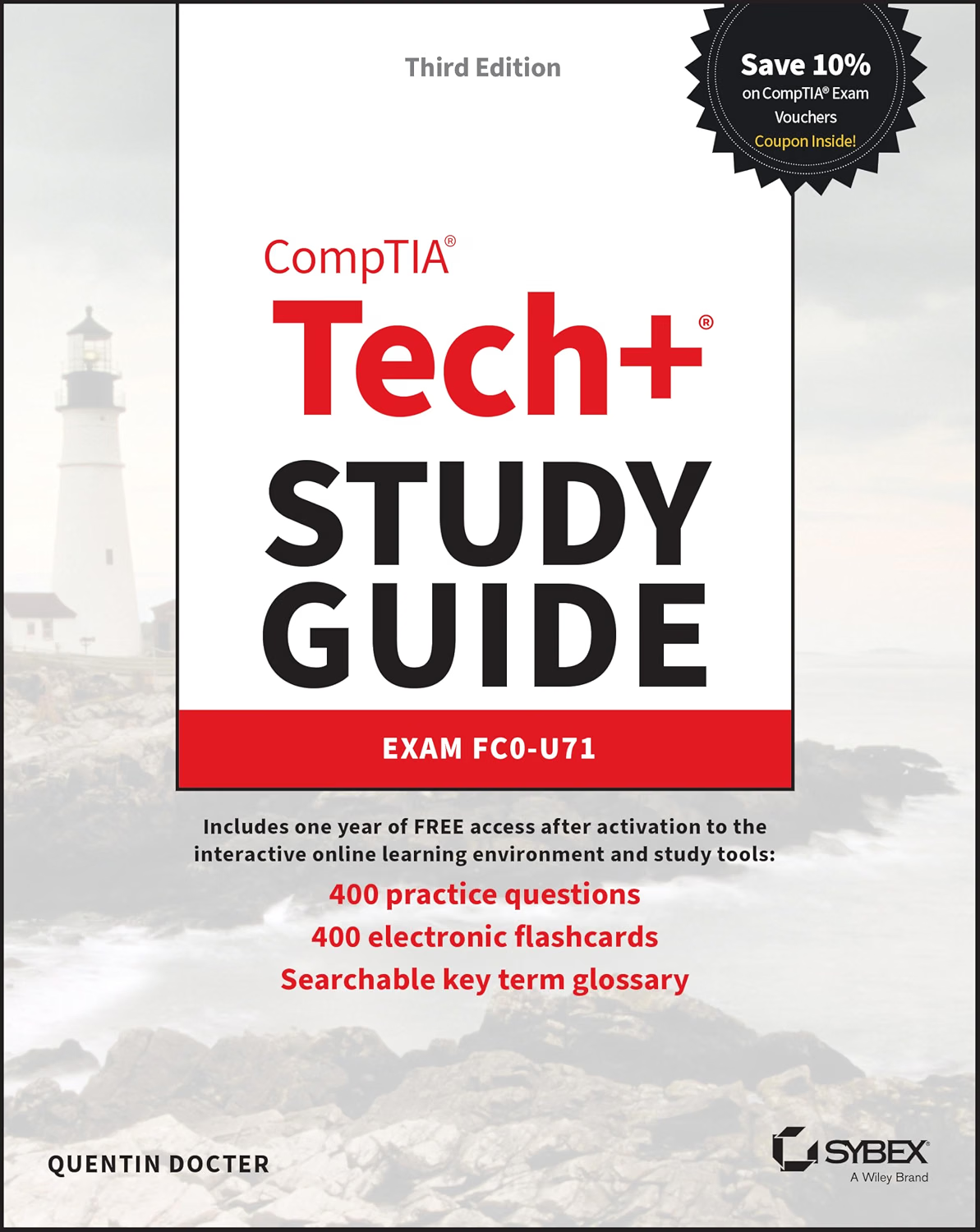
The CompTIA Tech+ Study Guide: Exam FC0-U71 (Sybex Study Guide) is designed around the current CompTIA Tech+ examination objectives and provides a structured way to study fundamental technology concepts. A comprehensive study guide can be particularly useful for beginners because it gives context around the terminology instead of requiring learners to discover each concept independently.
The current CompTIA Tech+ FC0-U71 examination covers six domains: IT Concepts and Terminology, Infrastructure, Applications and Software, Software Development Concepts, Data and Database Fundamentals, and Security. CompTIA’s published objectives specify a maximum of 70 multiple-choice questions, a 60-minute examination duration, and a passing score of 650.
The examination is intended to establish broad technology knowledge rather than train someone for one specialized IT role. That makes the subject relevant not only to future IT professionals but also to students, career changers, business users, and people who want a stronger understanding of the technology they use every day.
This guide explores the role of a CompTIA Tech+ study resource, explains the major subject areas covered by FC0-U71, discusses effective study methods, and looks at how foundational IT knowledge can be applied outside the examination environment.
Understanding CompTIA Tech+
CompTIA Tech+ is an entry-level technology certification designed to introduce learners to essential IT concepts.
The certification is broader than learning how to operate a particular operating system or application. It covers the underlying concepts that connect hardware, software, networking, data, development, and security.
According to the current published exam objectives, the FC0-U71 examination is divided into six domains:
- IT Concepts and Terminology
- Infrastructure
- Applications and Software
- Software Development Concepts
- Data and Database Fundamentals
- Security
This structure is useful for learners because it provides a roadmap.
Instead of approaching IT as one enormous subject, students can divide their preparation into manageable areas and gradually connect them together.
For example, learning about computer hardware first makes it easier to understand operating systems. Understanding operating systems helps explain applications. Networking knowledge makes internet services easier to understand, while security concepts build on many of these technologies.
What Makes a Study Guide Different From a Question Bank?
A question bank and a comprehensive study guide can serve different purposes.
A question bank primarily emphasizes active recall and practice. It asks the learner to select answers and identify knowledge gaps.
A study guide generally provides more explanation and context.
For someone encountering IT concepts for the first time, that distinction matters.
If a learner does not understand what a router does, repeatedly answering questions about routers may not solve the underlying problem. A study guide can explain what routers are, how they relate to networks, and how they differ from other networking devices.
Once the concept is understood, practice questions can reinforce it.
This makes a comprehensive study guide particularly relevant during the early and middle stages of certification preparation.
Key Features of a Structured Tech+ Study Guide
Coverage of the FC0-U71 Objectives
One of the most important considerations for certification study material is alignment with the correct examination version.
The current Tech+ exam is FC0-U71, and the official objectives define the topics candidates are expected to understand.
A study guide designed specifically around FC0-U71 can help learners organize their preparation according to the current exam structure rather than relying on outdated technology terminology or an older certification version.
Even so, learners should compare their study materials with the latest official objectives before taking the exam because certification content can change.
Foundational IT Concepts
The guide is centered on foundational knowledge rather than highly specialized technical administration.
That means learners can approach subjects such as hardware, networking, software, data, programming concepts, and security without first needing years of professional IT experience.
This broad coverage is useful because technology roles frequently overlap.
A support technician may need networking knowledge.
A network technician may need security knowledge.
A business professional may need to understand cloud applications.
A software developer may need to understand databases and operating systems.
Foundational knowledge provides a common vocabulary across these areas.
Structured Learning
A structured book can make it easier to progress through technical topics in an organized sequence.
Instead of searching the internet for disconnected explanations, learners can work through related concepts together.
This can reduce the problem of encountering terminology without sufficient context.
Exam-Oriented Preparation
Certification study guides typically help learners focus on the concepts that are relevant to the examination objectives.
This does not mean memorizing a collection of answers.
The more useful goal is understanding why a particular answer is correct and how the concept applies in real situations.
Review and Reinforcement
Repeated exposure to technical vocabulary can help transform unfamiliar terms into recognizable concepts.
Terms such as DHCP, DNS, RAM, virtualization, encryption, authentication, database, algorithm, and operating system may initially seem unrelated.
Once the relationships become clear, they form a larger picture of how computing systems work.
Domain 1: IT Concepts and Terminology
The first Tech+ domain establishes many of the basic concepts used throughout the rest of the certification.
A beginner needs to understand how computers process information and how data is represented.
Data and Information
Data refers to raw facts or values.
Information is data that has been processed or organized so that it becomes meaningful.
A customer database, for example, may contain thousands of individual data points. When those records are analyzed, they can produce information about sales, customers, inventory, or business performance.
Binary and Digital Information
Computers fundamentally work with binary information.
Binary uses two states, commonly represented as 0 and 1.
From these simple states, computers can represent numbers, text, images, audio, video, and instructions.
Understanding bits and bytes is therefore an important foundation.
Units of Measurement
IT environments use measurements for storage, memory, network speed, processing capability, and other characteristics.
Beginners should become comfortable distinguishing concepts such as:
- Bit
- Byte
- Kilobyte
- Megabyte
- Gigabyte
- Terabyte
The exact decimal or binary interpretation can vary depending on context, so learners should pay attention to how a question defines the measurement.
Troubleshooting Concepts
Troubleshooting is another important foundational skill.
A structured troubleshooting process generally begins with identifying the problem rather than immediately changing settings.
The learner can then develop a theory, test possible causes, implement a solution, verify that the problem has been resolved, and document the outcome.
This approach is useful in both certification questions and real technical support work.
Domain 2: Infrastructure
Infrastructure represents the largest portion of the current FC0-U71 exam, accounting for 24% of the published objectives.
This domain introduces the physical and network components that make computing environments possible.
Computer Hardware
A learner should understand the general role of components such as:
- CPU
- RAM
- Storage
- Motherboard
- Power supply
- Cooling systems
- Expansion components
- Input devices
- Output devices
The goal is not simply to memorize component names.
Understanding what each component contributes to a computer makes technical troubleshooting easier.
For example, RAM and storage are both related to data, but they serve different purposes.
RAM provides temporary working space for active processes.
Storage retains information for longer-term use.
Storage Technologies
Storage can take different forms.
Traditional hard disk drives use mechanical components, while solid-state drives use flash memory.
External storage can also be connected through different interfaces.
The important lesson for beginners is to understand the purpose and characteristics of each category rather than memorizing brand names.
Networking Fundamentals
Networking allows computers and other devices to communicate.
A basic network can include:
- Computers
- Smartphones
- Printers
- Servers
- Routers
- Switches
- Wireless access points
- Cables
- Network interfaces
Understanding the role of each device is essential.
A switch generally connects devices within a local network.
A router connects different networks and helps direct traffic between them.
A wireless access point provides wireless network connectivity.
These concepts become increasingly important as learners progress into more specialized networking certifications.
Wired and Wireless Networks
Ethernet is commonly associated with wired networking.
Wi-Fi provides wireless connectivity.
Each approach has different characteristics.
Wired connections can provide predictable performance and are commonly used for desktops, servers, and infrastructure equipment.
Wireless connections provide mobility and convenience.
Understanding both helps explain how home and business networks operate.
Domain 3: Applications and Software
Applications and Software represents 18% of the current FC0-U71 exam objectives.
This domain focuses on the software users interact with and the operating systems that provide the underlying environment.
Operating Systems
An operating system manages fundamental computer resources and provides an environment for applications.
Examples include:
- Windows
- macOS
- Linux
- Android
- iOS
Different operating systems have different interfaces, architectures, management tools, and compatibility characteristics.
A Tech+ learner should understand the general role of an operating system rather than becoming tied to one specific platform.
Applications
Applications are programs designed to perform particular tasks.
Examples include:
- Web browsers
- Word processors
- Spreadsheets
- Media players
- Communication applications
- Graphics software
- Database applications
Understanding the difference between an operating system and an application is fundamental.
The operating system manages the underlying computing environment, while applications provide functionality for users.
File Management
File management is another practical area.
Users should understand concepts such as:
- Files
- Folders
- Directories
- File extensions
- Paths
- Permissions
- Storage locations
These concepts appear in almost every computing environment.
Software Updates
Software updates can add features, correct errors, improve compatibility, and address security vulnerabilities.
Understanding why updates matter is therefore relevant to both software knowledge and cybersecurity.
Domain 4: Software Development Concepts
Software Development Concepts represents 13% of the current FC0-U71 objectives.
Beginners sometimes assume this domain requires them to become programmers.
That is not the objective.
Instead, learners need a basic understanding of how software is developed and how programming concepts fit together.
Algorithms
An algorithm is a defined sequence of steps used to solve a problem or accomplish a task.
Everyday activities can be represented algorithmically.
For example, a recipe can be thought of as a sequence of instructions.
Computer programs implement similar logic in a form that a computer can execute.
Variables
A variable provides a way for software to store or reference information.
A program might use variables to represent a person’s name, a numerical value, a product price, or a status.
Understanding variables makes programming terminology less intimidating.
Logic
Programs frequently use logical conditions.
For example:
“If the password is correct, allow access.”
“If inventory is below a threshold, generate an alert.”
These simple examples demonstrate how logical conditions influence program behavior.
Testing and Debugging
Software rarely works perfectly on the first attempt.
Testing helps identify problems.
Debugging involves finding and correcting the underlying cause.
This distinction is useful even for people who do not intend to become programmers because technical support professionals frequently encounter software-related problems.
Domain 5: Data and Database Fundamentals
Data and Database Fundamentals represents 13% of the current FC0-U71 examination.
Modern businesses depend heavily on structured data.
Understanding how databases organize information can help learners understand everything from online stores to customer relationship systems.
Tables
A relational database commonly organizes information into tables.
A customer table might include fields such as:
- Customer ID
- Name
- Phone number
Each customer can be represented by a record.
Fields and Records
A field represents a specific category of information.
A record represents a collection of related fields describing one entity.
For example, one customer’s name, email address, and phone number together form a record.
Understanding this distinction is fundamental to database literacy.
Primary Keys
A primary key provides a unique identifier for records in a table.
For example, a customer ID can distinguish one customer from another even when two customers have similar names.
This concept becomes important when understanding how databases connect information.
Data and Business Decisions
Businesses use data to support decisions.
Sales data can reveal purchasing patterns.
Inventory data can show which products need replenishment.
Customer data can support service and marketing activities.
Understanding how data is organized helps explain how applications transform raw information into useful business insights.
Domain 6: Security
Security represents 19% of the current Tech+ examination.
Even users who never work in cybersecurity need basic security knowledge.
Authentication
Authentication verifies identity.
A password is one form of authentication.
Multi-factor authentication can combine different authentication factors to strengthen account protection.
Authorization
Authorization determines what an authenticated user is allowed to access.
This distinction is important.
Authentication answers:
Who are you?
Authorization answers:
What are you allowed to do?
Malware
Malware is malicious software designed to disrupt systems, steal information, damage data, or perform other unauthorized actions.
Common categories include:
- Viruses
- Worms
- Trojans
- Ransomware
- Spyware
Understanding the general behavior of these categories helps users recognize security threats.
Phishing
Phishing attempts to deceive people into revealing information or performing unsafe actions.
A phishing message might imitate a legitimate organization and ask the recipient to click a link, provide credentials, or open an attachment.
Recognizing social-engineering techniques is an important practical security skill.
Encryption
Encryption transforms information into a form that is difficult to understand without the appropriate key or mechanism.
It can help protect data both during transmission and while stored, depending on the implementation.
The important concept is that encryption helps reduce unauthorized access to protected information.
How the Study Guide Can Be Used
A comprehensive study guide can support several different study methods.
First Pass: Build Familiarity
Start by reading through each domain without trying to memorize every detail.
The first goal is familiarity.
Become comfortable with the vocabulary and understand how the major concepts connect.
Second Pass: Study Actively
During the second pass, take notes and explain concepts in your own words.
If you cannot explain what a router does without looking at the definition, spend more time on that concept.
Third Pass: Practice Recall
Close the book and attempt to recall important concepts.
Ask yourself questions such as:
- What does RAM do?
- What is the role of a router?
- What is authentication?
- What is a database record?
- What is an algorithm?
- What is the purpose of an operating system?
Active recall is more demanding than simply rereading, which is why it can be useful during exam preparation.
Fourth Pass: Practice Questions
Combine the study guide with question-based practice.
When you miss a question, return to the relevant section and review the underlying concept.
Final Stage: Mixed Review
Once the domains are individually familiar, mix topics.
This better reflects the experience of working with IT as a connected field.
Creating a Tech+ Study Schedule
A learner does not necessarily need to study every topic for the same amount of time.
The current exam weighting provides one useful framework.
Infrastructure accounts for 24%, Security 19%, Applications and Software 18%, while IT Concepts and Terminology, Software Development Concepts, and Data and Database Fundamentals each represent 13%.
A possible study structure could be:
Phase 1: IT fundamentals
Phase 2: Infrastructure and networking
Phase 3: Applications and operating systems
Phase 4: Software development concepts
Phase 5: Data and databases
Phase 6: Security
Phase 7: Mixed review and practice
The exact number of study days can be adjusted to fit the learner’s schedule.
Using Real-World Examples to Reinforce Concepts
One of the easiest ways to understand IT is to connect abstract concepts to familiar technology.
Networking Example
Look at a home router.
Identify where internet connectivity enters the network and how different devices connect.
Hardware Example
Open the system-information tools on a computer and identify the processor, memory, storage, and operating system.
Security Example
Review account settings and identify whether multi-factor authentication is enabled.
Software Example
Compare an operating system with a web browser and identify what role each one plays.
Database Example
Think about an online shopping website.
Products, customers, orders, inventory, and payments all require organized data.
Development Example
Consider a smartphone application.
It receives input, processes information, makes decisions, stores data, and produces output.
These simple examples can make technical concepts easier to remember.
Who May Find the Study Guide Useful?
Beginners
The guide can provide a structured introduction to IT terminology and concepts.
Students
Students preparing for technology-related education can use foundational certification material to build vocabulary before moving into specialized subjects.
Career Changers
Someone transitioning from a non-technical career into IT may benefit from a structured introduction to the field.
Entry-Level IT Candidates
People interested in help desk, technical support, or other entry-level roles can use foundational concepts as preparation for more specialized learning.
Business Professionals
Employees who work with technology every day but lack formal IT training may find the material useful for understanding the systems around them.
Future Certification Candidates
Tech+ can serve as an introductory step before studying specialized areas such as networking, cybersecurity, cloud computing, or IT support.
Important Things to Consider
Verify the Current Exam Objectives
Certification exams evolve.
Although the study guide is specifically associated with FC0-U71, learners should always compare their preparation with the latest official CompTIA objectives before scheduling an exam.
The official objectives are the most appropriate reference for determining what is currently tested.
A Study Guide Does Not Replace Practice
Reading can provide knowledge, but practice helps determine whether that knowledge can be recalled.
Combining reading with practice questions and hands-on exercises can create a more active study process.
Do Not Rely on Memorization Alone
Technology concepts are interconnected.
Memorizing that a switch is a networking device is less useful than understanding what role a switch plays in a local network.
Understanding relationships creates knowledge that can transfer to unfamiliar questions.
Technology Changes
Operating systems, cloud platforms, hardware, security threats, and software tools continue to evolve.
Foundational concepts tend to remain useful, but specific technologies can change.
This is another reason to distinguish timeless principles from current product-specific details.
The Certification Is Foundational
Tech+ provides a broad introduction rather than deep specialization.
Someone interested in becoming a network engineer, cybersecurity analyst, cloud administrator, or software developer will eventually need more specialized training.
Tech+ can provide context for that next stage, but it is not intended to replace advanced technical education.
Comparing General IT Study Resource Categories
Comprehensive Study Guides
A comprehensive study guide is useful for learning concepts in context.
It can be particularly helpful for beginners who need explanations before practicing questions.
Question Banks
Question banks emphasize recall and exam practice.
They can help identify weak areas but may not provide enough conceptual depth for someone starting from zero.
Video Courses
Video courses can provide visual explanations and demonstrations.
They may suit learners who prefer listening and watching rather than reading.
Hands-On Labs
Labs provide practical experience.
For example, learners can practice configuring operating-system settings, exploring network tools, managing files, or building a simple virtual environment.
Practice Exams
Practice exams are useful for testing readiness under timed conditions.
They are generally more useful after the learner has studied the underlying material.
Combining Study Methods
A balanced preparation strategy might follow this cycle:
Read → Understand → Practice → Apply → Review
Start by reading a concept.
Explain it in your own words.
Test your understanding with questions.
Apply it to a real-world example.
Return later and review it.
This process helps transform information into usable knowledge.
Preparing for the Timed Examination
The current FC0-U71 exam allows up to 70 multiple-choice questions in 60 minutes.
That means learners have limited time for each question.
Timed practice can therefore be useful.
However, speed should not come at the expense of reading comprehension.
If a question contains several technical terms, identify what it is actually asking before looking for the answer.
Eliminate clearly incorrect choices and focus on the option that best matches the concept described.
If a question is taking too long, moving on and returning later may be more productive than spending several minutes on one item.
Building an IT Vocabulary
One of the hidden benefits of foundational certification study is vocabulary development.
Technology professionals frequently use specialized terminology.
Knowing what those terms mean makes technical conversations easier.
For example, understanding the difference between:
- RAM and storage
- Router and switch
- Authentication and authorization
- Application and operating system
- Database and spreadsheet
- Encryption and hashing
- Hardware and software
can dramatically improve technical communication.
This vocabulary remains useful even if the learner eventually moves into a different IT specialization.
Developing a Troubleshooting Mindset
A good IT professional does not necessarily know the answer immediately.
Instead, they know how to investigate.
Suppose a user reports that a computer cannot access the internet.
A beginner might immediately restart the computer.
A more structured approach could ask:
- Is the device connected to Wi-Fi or Ethernet?
- Do other devices have internet access?
- Is the router functioning?
- Does the device have an IP configuration?
- Is the issue limited to one application?
- Did anything change recently?
The questions help narrow the possible causes.
This mindset is useful beyond the certification because troubleshooting is a recurring part of technology work.
Security as an Everyday Responsibility
Security knowledge should not remain theoretical.
Simple habits can reduce common risks.
Use strong and unique passwords.
Enable multi-factor authentication when available.
Install software updates.
Avoid suspicious links.
Back up important files.
Be careful with unexpected attachments.
Review application permissions.
Protect devices with screen locks.
Understand which information should not be shared publicly.
These habits reinforce the concepts encountered in the security portion of Tech+.
Frequently Asked Questions
What is the CompTIA Tech+ Study Guide: Exam FC0-U71?
It is a study resource designed to help learners prepare for the CompTIA Tech+ FC0-U71 certification examination while developing foundational IT knowledge.
What does FC0-U71 mean?
FC0-U71 is the exam code associated with the current CompTIA Tech+ examination.
The official objectives organize the exam into six domains covering foundational IT concepts, infrastructure, software, development, data, and security.
What topics are covered on the Tech+ exam?
The six current domains are:
- IT Concepts and Terminology
- Infrastructure
- Applications and Software
- Software Development Concepts
- Data and Database Fundamentals
- Security
How many questions are on the FC0-U71 exam?
The current official objectives specify a maximum of 70 multiple-choice questions.
How long is the Tech+ exam?
The current published objectives specify a 60-minute examination duration.
What is the passing score?
The published FC0-U71 objectives specify a passing score of 650.
Is Tech+ suitable for beginners?
The certification is designed around foundational technology concepts, making it relevant to people beginning their IT education.
A beginner can still benefit from additional introductory resources if certain technical concepts are completely unfamiliar.
Do I need programming experience?
The Software Development Concepts domain introduces foundational programming concepts, but studying Tech+ is not the same as completing a professional programming course.
The focus is on understanding development concepts rather than becoming an advanced programmer.
Should I study networking before Tech+?
Prior networking experience is not necessarily required.
Networking fundamentals are part of the Infrastructure domain, making the certification itself an opportunity to learn those concepts.
Is the study guide enough to pass the exam?
No study resource can guarantee a particular examination result.
Preparation depends on understanding the objectives, learning the material, practicing recall, and becoming comfortable applying concepts.
Using the official objectives alongside a study guide can help ensure that preparation remains aligned with the current exam.
How should I use practice questions with the study guide?
Use them after studying each major topic.
When you miss a question, identify the underlying concept and return to the relevant material rather than simply memorizing the correct answer.
Should I study every domain equally?
The domains have different examination weightings.
Infrastructure represents 24%, Security 19%, Applications and Software 18%, while the remaining domains each represent 13%.
Study time can take these differences into account while still covering every domain.
Can Tech+ help with future IT certifications?
Foundational knowledge can make later specialized study easier.
After building a basic understanding of IT, learners may choose to explore areas such as technical support, networking, cybersecurity, cloud computing, or software development.
Is Tech+ a cybersecurity certification?
Security is one of the six Tech+ domains, but Tech+ is a broad foundational technology certification rather than a specialized cybersecurity credential.
What is the difference between authentication and authorization?
Authentication verifies who a user is.
Authorization determines what that authenticated user is allowed to access or do.
What is the difference between RAM and storage?
RAM is temporary working memory used by active processes.
Storage retains data for longer-term use.
What is the difference between a router and a switch?
A switch generally connects devices within a local network, while a router connects different networks and directs traffic between them.
Why is hands-on practice useful?
Hands-on activities help connect theoretical concepts with actual technology.
Exploring operating systems, networking tools, files, security settings, and virtual environments can make abstract concepts easier to understand.
Conclusion
The CompTIA Tech+ Study Guide: Exam FC0-U71 (Sybex Study Guide) provides a structured learning approach for people who want to build foundational IT knowledge while preparing for the current CompTIA Tech+ certification.
The FC0-U71 examination covers six broad areas: IT Concepts and Terminology, Infrastructure, Applications and Software, Software Development Concepts, Data and Database Fundamentals, and Security. Infrastructure currently represents the largest domain at 24%, followed by Security at 19% and Applications and Software at 18%.
This broad scope is important because modern technology does not exist in isolated categories. Hardware runs operating systems. Applications depend on infrastructure. Networks connect devices. Databases store application information. Software development creates the tools people use. Security affects every layer.
A structured study guide can help learners see these relationships instead of treating each topic as an isolated definition.
The most effective approach is also unlikely to be simple memorization. Reading, taking notes, answering questions, reviewing mistakes, performing hands-on exercises, and returning to difficult topics can create a more complete learning process.
For beginners, this approach can make technical terminology less intimidating. For career changers, it can provide a structured entry point into the IT field. For students, it can establish vocabulary that becomes useful in more advanced courses. For professionals outside IT, it can provide a clearer understanding of the technology that supports everyday work.
At the same time, learners should verify the current official CompTIA objectives before taking the examination. Certification content can evolve, and the official objectives should remain the primary reference for current exam requirements.
Tech+ is ultimately a foundation rather than an endpoint. Once learners understand the basic language of computers, networks, software, data, development, and security, they can make more informed decisions about which technical specialization to pursue next.
For anyone beginning that journey, a structured resource focused specifically on FC0-U71 can provide a useful framework for organizing the learning process and turning a broad collection of technology concepts into a coherent foundation.
Leave a Reply