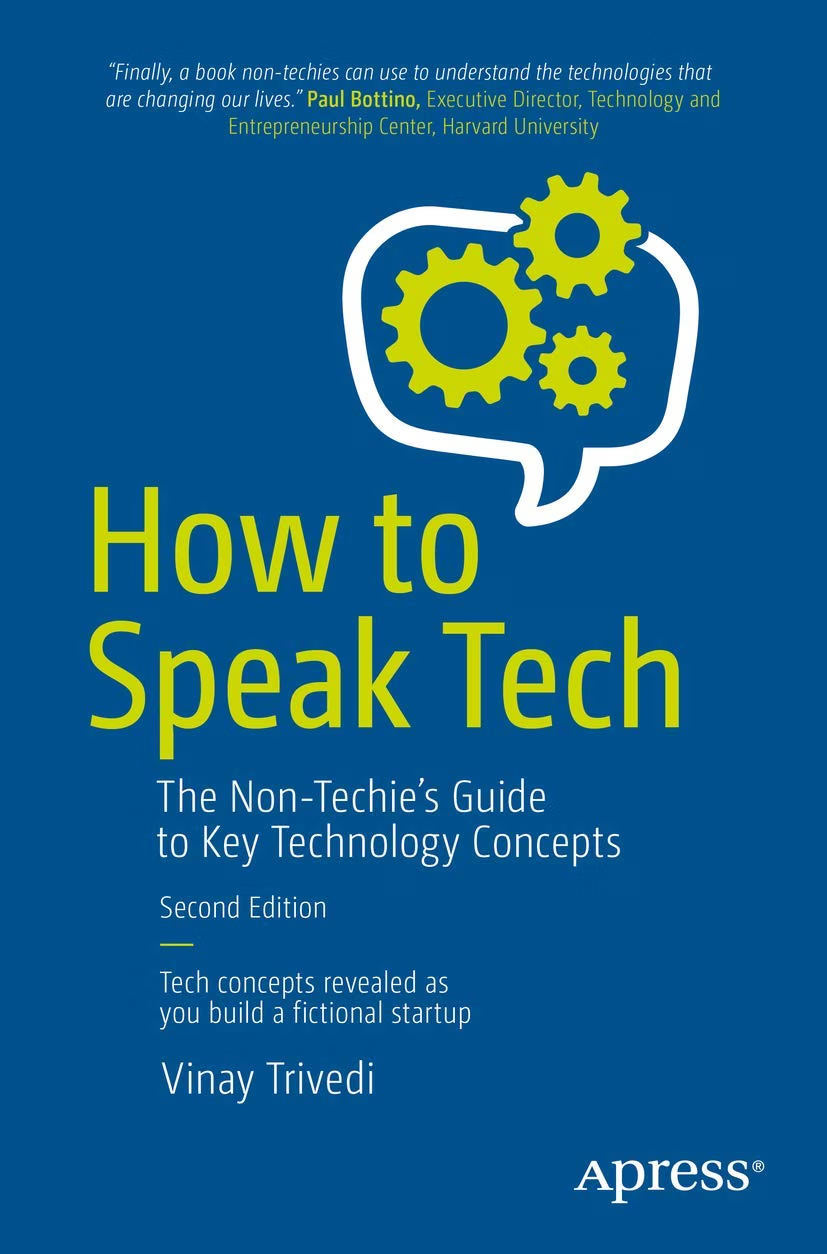
Technology has become part of almost every professional environment, yet understanding technology does not necessarily require becoming a programmer, engineer, or IT specialist.
A marketing manager may need to discuss analytics platforms with a technical team. A business owner may need to choose between cloud services. A project manager may coordinate developers working on an application. A sales professional may need to explain a software product to customers. Even employees working outside traditional technology departments increasingly encounter terms such as APIs, databases, cloud computing, cybersecurity, artificial intelligence, machine learning, and software development.
The challenge is often not the technology itself. It is the language surrounding it.
Technical teams have developed a vocabulary that makes sense to people who work with technology every day. For someone outside that environment, the same terminology can make an ordinary business discussion seem unnecessarily complicated.
How to Speak Tech: The Non-Techie’s Guide to Key Technology Concepts is designed around this communication gap. Rather than assuming that readers already understand technical terminology, the book provides an accessible way to become more comfortable with concepts that appear throughout modern technology and business conversations.
That makes the subject relevant to a wide range of people. You do not need to write software to benefit from understanding how software works. You do not need to manage servers to understand the basic idea of cloud computing. And you do not need to become a cybersecurity professional to recognize why authentication, access controls, encryption, and data protection matter.
This article explores the concepts behind the book, practical ways a non-technical reader can use this type of resource, and the broader importance of technology literacy in today’s workplace.
Why Understanding Technology Matters
Modern organizations depend on technology for communication, operations, sales, customer service, finance, logistics, marketing, and data analysis.
As a result, technology decisions are increasingly business decisions.
Consider a company deciding whether to move an internal application to the cloud. The final decision may involve technical considerations, but it can also affect:
- Operating costs
- Security
- Employee access
- Business continuity
- Scalability
- Vendor relationships
- Data management
- Compliance
- Customer experience
A business leader does not necessarily need to configure the cloud infrastructure personally.
However, understanding the basic terminology makes it easier to ask useful questions and evaluate the answers.
The same principle applies to software development.
A manager does not need to understand every line of code to understand that an application has a front end, a back end, databases, APIs, dependencies, testing processes, deployment procedures, and security considerations.
Technology literacy is therefore less about learning to perform every technical task and more about understanding enough to communicate, evaluate, and make informed decisions.
Key Features and Learning Areas
A guide focused on technology concepts for non-technical readers can cover a broad collection of subjects.
The value of this approach is that technical topics can be understood as connected ideas rather than isolated vocabulary words.
Hardware and Software
One of the most fundamental distinctions in technology is between hardware and software.
Hardware refers to physical components.
Examples include:
- Computers
- Smartphones
- Servers
- Storage devices
- Network equipment
- Processors
- Memory
- Displays
Software consists of programs and instructions that operate on hardware.
Examples include:
- Operating systems
- Mobile applications
- Web applications
- Productivity software
- Databases
- Development tools
Understanding this distinction creates a foundation for many other technology concepts.
Operating Systems
An operating system provides the software environment that allows applications and hardware to work together.
Examples include operating systems used on personal computers, smartphones, servers, and other devices.
For a non-technical user, the important concept is that applications do not normally operate independently of everything else.
They rely on an underlying system that manages resources and provides common functions.
Applications
An application is software designed to perform particular tasks.
A banking application, project-management platform, photo editor, accounting program, and web browser are all examples of applications.
Applications may run locally on a device, remotely through a web browser, or through a combination of local and cloud-based components.
That distinction becomes important when discussing software architecture and cloud computing.
Understanding the Internet
The internet is often treated as a single thing, but it is better understood as a global network of interconnected networks and systems.
When someone visits a website, many processes may occur behind the scenes.
A device connects to a network.
A request is sent to a server.
Domain-name systems help translate human-readable domain names into network addresses.
The server processes the request and returns information.
The browser then displays the resulting content.
A non-technical reader does not need to memorize every protocol involved.
Understanding the basic sequence, however, makes many technical discussions easier to follow.
Websites and Web Applications
A website may primarily provide information.
A web application typically allows users to perform actions through a browser.
For example, an online banking platform, project-management dashboard, or web-based accounting system can be considered a web application.
Modern web applications often have multiple components working together.
There may be:
- A user interface
- Application logic
- Databases
- APIs
- Authentication systems
- External services
- Hosting infrastructure
This explains why something that appears simple on screen can involve considerable technology behind the scenes.
Cloud Computing
Cloud computing is one of the most commonly used technology terms in business.
At a basic level, cloud computing involves accessing computing resources or services through remote infrastructure rather than relying exclusively on locally owned equipment.
Cloud services can provide:
- Computing power
- Storage
- Databases
- Networking
- Software applications
- Development environments
- Backup services
Cloud computing can also make it easier for organizations to scale resources as requirements change.
However, “the cloud” does not mean that data exists somewhere abstract or invisible.
Cloud services ultimately depend on physical infrastructure such as servers, storage systems, networking equipment, and data centers.
Software as a Service
Software as a Service, commonly called SaaS, is a model in which users access software as an ongoing service.
Instead of installing and maintaining the entire application infrastructure themselves, customers generally access software operated by a provider.
Examples of SaaS categories include:
- Customer relationship management
- Accounting
- Collaboration
- Project management
- Human resources
- Marketing
- File storage
For businesses, SaaS can simplify deployment and maintenance, but it also creates questions about subscriptions, data, security, integrations, vendor dependency, and service availability.
APIs Explained for Non-Technical Readers
API stands for Application Programming Interface.
The term can sound intimidating, but the basic idea is relatively straightforward.
An API provides a structured way for software systems to communicate with each other.
Imagine a restaurant.
A customer does not normally walk into the kitchen and tell the chef directly how to prepare every ingredient.
Instead, the customer places an order through a defined process.
The API can be thought of as a structured interface through which one system requests information or an action from another system.
For example, an online store might use an API to communicate with a payment service.
A travel application might use APIs to retrieve information from airlines or mapping services.
Understanding APIs is particularly useful for business professionals because integrations between software systems are common.
Databases
A database is a structured system for storing and managing information.
Businesses may maintain databases containing:
- Customer records
- Orders
- Products
- Employee information
- Financial transactions
- Inventory
- Website accounts
Databases can be organized in different ways.
A relational database, for example, stores structured information in tables with relationships between them.
Other database approaches are designed for different types of data and workloads.
The important point for a non-technical reader is that an application often depends on a database to remember information.
When someone creates an account, places an order, or updates a profile, the application usually needs somewhere to store that information.
Data and Big Data
The term “data” can refer to almost any information that a computer system stores or processes.
Businesses generate enormous quantities of data through websites, applications, transactions, sensors, customer interactions, and internal systems.
Big data generally refers to datasets whose size, complexity, speed, or variety creates challenges that require specialized approaches.
Understanding the difference between simply having data and being able to use it effectively is important.
Data has value only when an organization can collect, manage, interpret, and protect it appropriately.
Analytics
Analytics involves examining data to understand patterns, performance, relationships, or trends.
A company might use analytics to examine:
- Website traffic
- Customer retention
- Sales
- Marketing campaigns
- Product usage
- Operational performance
Analytics can be descriptive, diagnostic, predictive, or prescriptive depending on the question being asked and the methods used.
A non-technical manager does not necessarily need to understand every statistical technique.
Instead, it is useful to understand what the analysis is measuring, where the data came from, and what assumptions are involved.
Artificial Intelligence and Machine Learning
Artificial intelligence has become a major part of technology discussions.
AI is a broad term covering systems designed to perform tasks that can involve capabilities such as pattern recognition, language processing, prediction, generation, or decision support.
Machine learning is a subset of AI involving systems that learn patterns from data rather than relying entirely on manually written rules.
Modern AI systems can perform tasks such as:
- Text generation
- Image analysis
- Translation
- Classification
- Recommendation
- Speech recognition
- Prediction
For non-technical readers, one of the most important concepts is that AI output should not automatically be treated as correct.
The quality of an AI system depends on many factors, including its data, design, training, inputs, evaluation methods, and intended use.
Cybersecurity Fundamentals
Cybersecurity protects systems, networks, applications, and information from unauthorized access, disruption, manipulation, or other threats.
A basic technology vocabulary should include concepts such as:
- Authentication
- Authorization
- Encryption
- Malware
- Phishing
- Vulnerabilities
- Firewalls
- Backups
- Security updates
Authentication
Authentication answers:
Who are you?
Passwords, security keys, biometric methods, and multi-factor authentication can be used for authentication.
Authorization
Authorization answers:
What are you allowed to access or do?
A user may successfully authenticate but still lack permission to access particular resources.
That distinction is important in business systems.
Encryption
Encryption transforms information into a form intended to prevent unauthorized parties from understanding it without the appropriate means of decryption.
Encryption can protect data while it is stored or transmitted, depending on how the system is designed.
Cybersecurity Is a Business Issue
Security is sometimes treated as a technical department’s responsibility.
In practice, cybersecurity can affect the entire organization.
A security incident may lead to:
- Operational disruption
- Financial losses
- Data exposure
- Legal obligations
- Reputation concerns
- Customer communication
- Recovery costs
Business leaders therefore benefit from understanding basic security concepts even when specialized security professionals handle implementation.
Software Development
Software development involves creating, modifying, testing, deploying, and maintaining software.
A typical development process may involve:
- Requirements
- Planning
- Design
- Development
- Testing
- Deployment
- Monitoring
- Maintenance
Different organizations use different development methodologies.
Agile approaches, for example, often emphasize iterative development and frequent feedback.
Waterfall-style approaches generally organize work into more sequential stages.
The important point for a non-technical manager is that software development is a process rather than simply the act of writing code.
Programming Languages
Programming languages provide structured ways for developers to write instructions that computers can execute.
Examples include:
- Python
- JavaScript
- Java
- C#
- C++
- Go
- Swift
- Kotlin
Different languages have different characteristics and are commonly associated with different types of development.
A non-programmer does not need to master these languages to understand what developers are discussing.
Knowing that programming languages are tools used to express software logic is an important first step.
Front End and Back End
The terms “front end” and “back end” appear frequently in software discussions.
The front end generally refers to the parts of an application users interact with.
Examples include:
- Buttons
- Forms
- Menus
- Pages
- Dashboards
The back end generally includes server-side logic, databases, APIs, and other components supporting the application’s functionality.
A simple login screen, for example, may involve front-end interface elements communicating with back-end authentication systems and databases.
Software Testing
Testing helps identify problems before or after software is released.
Different testing approaches can address different concerns.
Examples include:
- Unit testing
- Integration testing
- Functional testing
- Performance testing
- Security testing
- User acceptance testing
The existence of testing does not guarantee that software contains no defects.
Instead, testing provides methods for discovering and evaluating potential problems.
Deployment
Deployment is the process of making software available in its intended environment.
This might mean releasing a mobile application, publishing a website update, installing software on internal systems, or deploying code to cloud infrastructure.
Deployment can be automated or manual depending on the environment.
Understanding deployment helps non-technical managers recognize why “the developers finished the code” does not always mean the work is ready for customers.
Version Control
Version control systems help developers track changes to files and collaborate on software projects.
Git is one of the most widely used version-control technologies.
Concepts such as branches, commits, merges, and repositories may appear in development discussions.
A manager does not need to perform these operations personally to understand their purpose.
The basic idea is that version control provides a structured way to manage changes and collaboration.
Technical Debt
Technical debt is a metaphor describing the future cost created by technical decisions made today.
A development team may choose a quick solution to meet a deadline.
That decision may be reasonable in some circumstances.
However, if the solution creates maintenance problems later, the organization may need to invest additional time and resources to address them.
Technical debt can therefore affect schedules, budgets, reliability, and future development.
How the Book Can Be Used
As a Technology Vocabulary Reference
One practical use is to keep the book available as a reference when unfamiliar terminology appears in meetings or documents.
Instead of attempting to memorize every term, readers can gradually build familiarity through repeated exposure.
Before Meetings With Technical Teams
A manager preparing for a meeting about software development, cloud infrastructure, or cybersecurity can review relevant concepts beforehand.
This can make the conversation more productive.
During Project Planning
Technology projects often involve both technical and non-technical stakeholders.
Understanding terminology can help project managers translate business requirements into conversations developers and engineers can act upon.
During Vendor Discussions
Businesses regularly communicate with software and technology vendors.
Understanding basic concepts can help customers ask more precise questions about:
- Architecture
- Security
- Integrations
- Data
- Availability
- Support
- Scalability
For Career Development
Technology literacy can complement existing skills in areas such as:
- Marketing
- Finance
- Sales
- Operations
- Project management
- Entrepreneurship
- Human resources
The goal does not have to be becoming a technical specialist.
Instead, technology knowledge can become another professional communication skill.
Who May Find This Type of Guide Useful?
Business Managers
Managers increasingly oversee technology-dependent processes.
A basic technical vocabulary can help them communicate with IT departments and vendors.
Entrepreneurs
Entrepreneurs often make technology decisions without having a large technical department.
Understanding fundamental concepts can help when evaluating software, hiring developers, or discussing infrastructure.
Project Managers
Project managers frequently sit between business stakeholders and technical teams.
They need to understand both sides well enough to keep projects aligned.
Marketing Professionals
Digital marketing relies heavily on technology.
Analytics, websites, customer-data platforms, advertising systems, tracking technologies, and automation all involve technical concepts.
Sales Professionals
Technology sales often requires explaining technical products to customers while also understanding customer requirements.
Human Resources Professionals
HR teams may work with payroll platforms, applicant-tracking systems, employee databases, identity systems, and workplace applications.
Students and Career Changers
People entering technology-adjacent careers can use foundational vocabulary to become more comfortable with technical conversations.
Important Things to Consider
Technology Literacy Is Not the Same as Technical Expertise
Learning what an API is does not make someone an API developer.
Understanding cloud computing does not qualify someone to architect a production cloud environment.
A technology vocabulary guide should therefore be viewed as a bridge between technical and non-technical communication.
Definitions Can Depend on Context
Technology terms are sometimes used differently by different teams.
For example, “cloud,” “AI,” “platform,” “application,” and “system” can have broad meanings.
When discussing a technical project, it is often useful to ask what a particular term means in that specific context.
Technology Changes
Technology evolves quickly.
Programming frameworks, cloud platforms, cybersecurity practices, AI capabilities, and industry terminology can change.
A foundational understanding remains useful, but readers should supplement general knowledge with current technical documentation when making important decisions.
Business Context Matters
Technology should be evaluated according to the problem it is intended to solve.
A technically sophisticated system may not be appropriate if it introduces unnecessary complexity.
Likewise, a simple solution may be insufficient if the organization has demanding security, scalability, or compliance requirements.
The right question is often not “Which technology is most advanced?”
It is “Which approach fits the organization’s actual requirements?”
Comparing General Categories of Technology Learning Resources
Beginner Technology Guides
Beginner-focused guides are designed to explain terminology and foundational concepts.
They are useful for building vocabulary without requiring extensive prior knowledge.
Technical Documentation
Official technical documentation provides detailed information about specific software, platforms, programming languages, and tools.
It is essential for implementation but can be difficult for beginners.
Programming Books
Programming books teach readers how to create software.
They usually require substantially more hands-on practice than a technology vocabulary guide.
Online Courses
Courses can combine explanations, demonstrations, exercises, and assessments.
They may be particularly useful for learners who prefer structured instruction.
Technology News
Technology news can help readers understand current developments.
However, news coverage generally focuses on events rather than teaching the underlying technical concepts systematically.
Using different types of resources together can provide both foundational understanding and current information.
Building Technology Confidence Step by Step
Technology literacy does not have to be developed all at once.
A practical learning path might begin with basic concepts.
Step 1: Learn the Vocabulary
Start with common terms such as:
- Hardware
- Software
- Server
- Database
- Network
- Cloud
- API
- Application
- Security
Step 2: Understand Relationships
Learn how these concepts connect.
For example:
A mobile application may communicate through an API with a back-end service that stores information in a database hosted on cloud infrastructure.
That single sentence connects several technical concepts.
Step 3: Ask Better Questions
Instead of asking:
“How does the system work?”
Try asking:
“Where is the data stored?”
“How does the application authenticate users?”
“Which external services does it depend on?”
“What happens if that service becomes unavailable?”
Step 4: Apply the Concepts
Connect technical vocabulary to real situations at work.
If your organization uses a CRM platform, identify where the data resides, how users authenticate, and which systems integrate with it.
Step 5: Continue Learning
Once the fundamentals become comfortable, readers can explore specific areas such as cybersecurity, databases, cloud architecture, AI, software development, or networking.
Learning to Communicate With Developers
Communication works in both directions.
Non-technical professionals can improve technical discussions by providing clear business requirements.
Instead of saying:
“Make the application faster.”
A more useful request might describe the problem:
“Users are waiting several seconds for the customer dashboard to load, especially when it contains a large number of records.”
That gives technical teams more information to investigate.
Likewise, developers can translate technical constraints into business language.
This shared understanding can reduce confusion and help teams make better decisions.
Technology Terms Worth Understanding
A growing technology vocabulary might eventually include:
API: A structured interface through which software systems communicate.
Backend: Server-side components supporting an application.
Bandwidth: The capacity of a communication channel to transmit data.
Cloud computing: Delivery of computing resources and services through remote infrastructure.
Database: A system for storing and managing structured information.
Encryption: A method of transforming information to protect it from unauthorized access.
Firewall: A security mechanism that controls network traffic according to defined rules.
Latency: The delay between an action and the corresponding response.
Malware: Malicious software designed to perform unauthorized or harmful actions.
Repository: A location where files, code, or project history can be stored and managed.
Scalability: The ability of a system to handle changing levels of demand.
Server: A computer or software system that provides services or resources to other systems.
SaaS: Software delivered as an ongoing service, typically through a network connection.
Source code: Human-readable instructions used to create software.
Virtual machine: A software-based computer environment that runs on physical computing infrastructure.
Understanding these terms can make technology conversations significantly less intimidating.
Frequently Asked Questions
What is How to Speak Tech about?
How to Speak Tech: The Non-Techie’s Guide to Key Technology Concepts is focused on helping readers understand technology terminology and concepts without requiring them to become software developers or IT specialists.
Is the book intended for programmers?
The focus is on non-technical readers, making the subject particularly relevant to people who need to communicate with technical professionals rather than become programmers themselves.
Do I need technical experience to understand the concepts?
A beginner-oriented technology guide is generally designed to introduce concepts without assuming extensive technical experience.
Readers can build their understanding gradually as they encounter new terms.
Why should business professionals learn technical terminology?
Technology affects many business decisions.
Understanding basic terminology can help professionals communicate with IT teams, evaluate technology vendors, understand project discussions, and ask more useful questions.
What is an API in simple terms?
An API is a structured way for one software system to communicate with another.
It allows applications or services to request information or perform certain actions through defined interfaces.
What is cloud computing?
Cloud computing involves accessing computing resources and services through remote infrastructure.
Cloud services can provide storage, computing, databases, applications, networking, and other capabilities.
What is the difference between front end and back end?
The front end generally describes the user-facing part of an application.
The back end generally includes server-side logic, databases, APIs, and supporting infrastructure.
Is AI the same as machine learning?
No.
Artificial intelligence is a broad category.
Machine learning is one approach within AI in which systems learn patterns from data.
What does cybersecurity mean?
Cybersecurity refers broadly to protecting systems, networks, applications, and information from unauthorized access, attacks, disruption, and other threats.
What is technical debt?
Technical debt describes future costs that can result from technical shortcuts, compromises, or decisions that make future maintenance or development more difficult.
Do managers need to learn programming?
Not necessarily.
Some managers may benefit from programming skills, but many technology-related management roles primarily require enough technical understanding to communicate effectively, evaluate tradeoffs, and coordinate specialists.
Can technology literacy help entrepreneurs?
Yes.
Entrepreneurs often make decisions about software, websites, cloud services, cybersecurity, data, integrations, and technology vendors.
A basic technical vocabulary can make those decisions easier to discuss.
How can I become more comfortable with technical conversations?
Start with foundational terms, connect concepts to real examples, ask specific questions, and gradually explore areas that are relevant to your work.
You do not need to understand everything at once.
Is understanding technology the same as becoming an IT professional?
No.
Technology literacy is about understanding concepts well enough to communicate and make informed decisions.
Professional IT work requires much deeper knowledge and practical experience.
Conclusion
How to Speak Tech: The Non-Techie’s Guide to Key Technology Concepts addresses an increasingly practical need: understanding technology without necessarily becoming a technology specialist.
Modern workplaces depend on systems that can involve cloud computing, software applications, databases, APIs, cybersecurity, analytics, artificial intelligence, and software development. Employees and business leaders outside technical departments increasingly encounter these subjects in everyday work.
Learning the language of technology can make those conversations easier.
A manager who understands the difference between an API and a database can ask more precise questions. A project manager who understands development stages can better communicate with developers. An entrepreneur who understands cloud computing can have a more informed discussion with a technology vendor. A marketing professional who understands analytics and data can better interpret technical requirements surrounding digital campaigns.
The goal is not to replace technical specialists.
Instead, technology literacy creates a common language between specialists and the people responsible for business decisions.
That distinction is important. A non-technical professional does not need to configure a server, write production code, design a database, or investigate a security incident personally. Those responsibilities may belong to experienced professionals.
What they can do is understand the concepts well enough to recognize important questions, communicate requirements clearly, understand tradeoffs, and participate more confidently in technology-related decisions.
As technology becomes increasingly integrated into business and everyday life, that ability becomes more valuable.
A foundational technology guide can therefore serve as a starting point for building a broader understanding of the digital systems that shape modern work.
Leave a Reply